


Linux is an operating system, similar to Apple Mac OS, or Microsoft Windows. An operating system helps the user of the computer navigate their system and run applications. Applications, also referred to as software or apps, help the user perform specific tasks, such as creating a document, or browsing the Internet.
In technical terms, Linux is the kernel of the operating system. The kernel is the layer between the hardware and the software. This is why you may come across the term GNU/Linux. This refers to the GNU Tools that are included with the Linux kernel and a selection of other software to create a Linux Distribution.
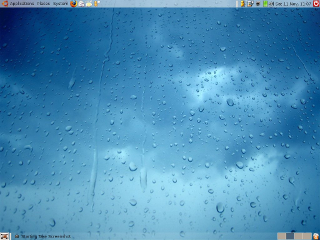
Along with Linux and the GNU Tools you can run different Desktop Environments (DE). The most popular of these include KDE, Gnome, Unity, Cinnamon and Mate. These are what makes Linux look and work in a similar way to Windows or OS X. The fact that there are several to choose from can be confusing to those new to Linux, but does allow you to choose one that you like best whilst still using the same Linux software - and you can always change without having to change your applications.
With Open Source Software you are able to get the source code for the software and modify it to add features or fix bugs. Of course this doesn't mean you have to, or that you have the knowledge to do so, but thousands of people all over the world do, and this can allow the software to develop at a very fast pace.
Because Linux is OSS, it has produced many different variations of it, which are commonly known as distributions. Some of the most popular desktop distributions include Ubuntu, Fedora and openSUSE.
You almost certainly do already. If you use Google to search or Amazon to shop you are communicating with computers running Linux. Your Set Top Box or Smart TV may well run Linux, and if you use an Android phone you are using Linux.
As said before, there are a lot of distributions to choose from. Some you can download for free, others you can buy in retail boxes, or buy and download on the Internet. Distrowatch is great site to see what new distributions have recently been released, but may be confusing if you are a computer novice. If you are downloading a copy of Linux we would recommend a broadband connection as they can be quite large.
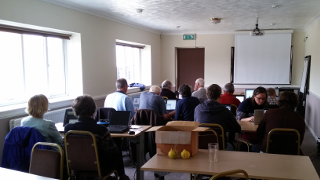
A great way to find out more about Linux and to get a copy is to come to one of our meetings. You can see Linux in action, talk to people who use it, get a copy to take home or get help installing. If you are looking to take a copy away it is probably a good idea to ask on the list before you come to make sure somebody has the right version (or a selection) with them. These can be put on CD/DVD or a USB key which you may like to bring along.
If you are stuck between meetings you can ask on the PLUG mailing list and we'll try to help you. Alternatively a good starting point is the documentation for the distro you have chosen. Here are links to the docs for the distros mentioned earlier: Ubuntu, Fedora and openSUSE.